Sending the same update one contact at a time
Import approved contacts from CSV or VCF and prepare the whole send list in one place instead of rebuilding it message by message.
CUSTOMER MESSAGING
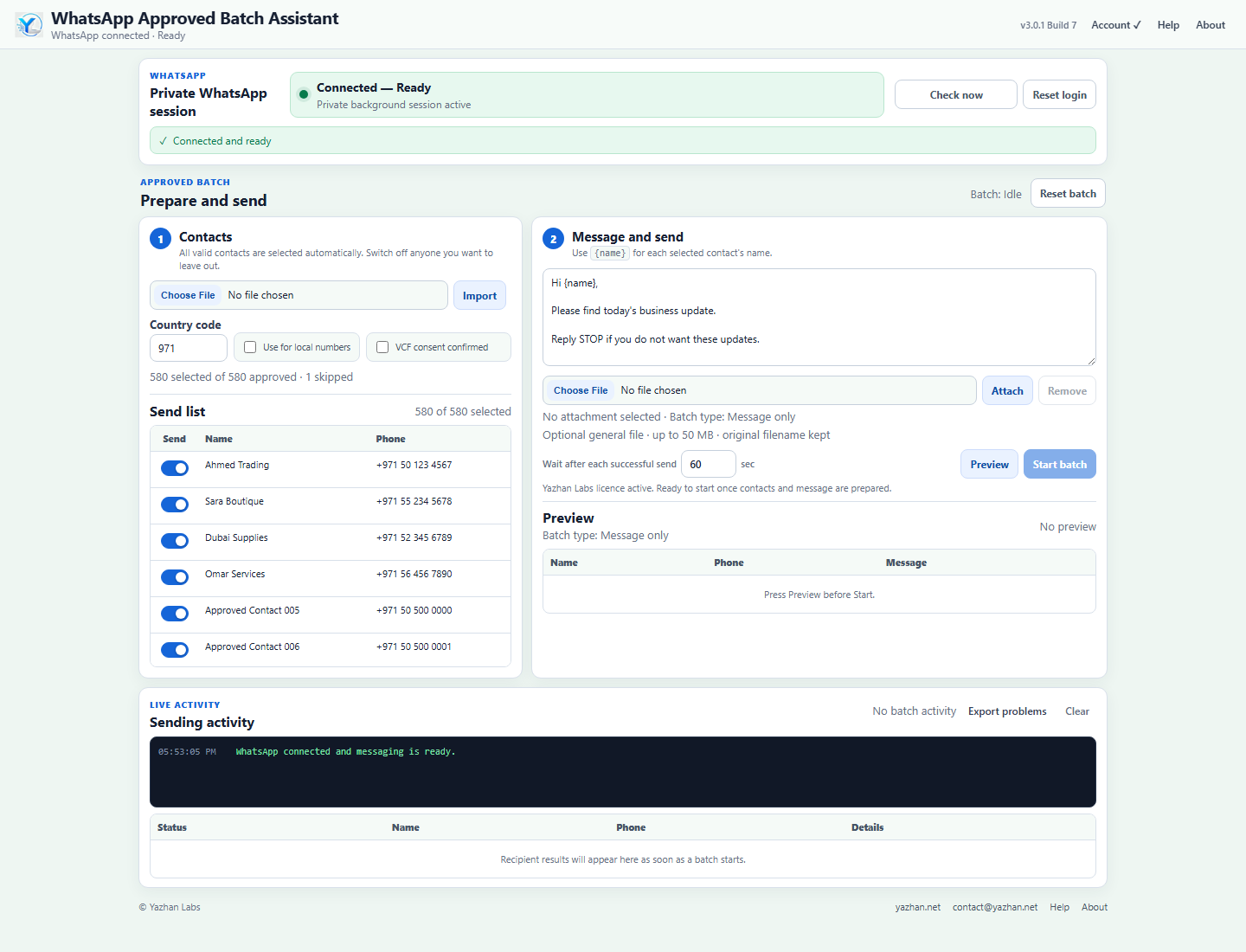
Controlled WhatsApp messaging for approved business contacts. Import CSV/VCF contacts, personalise with {name}, preview every send, attach documents and keep control throughout the batch.
THE BUSINESS PROBLEM
If your team regularly sends legitimate updates to customers, suppliers or other approved contacts, the work can quickly turn into one-by-one sending, copy-and-paste personalisation and manual tracking. WABAA turns that repetitive task into one controlled workflow.
Import approved contacts from CSV or VCF and prepare the whole send list in one place instead of rebuilding it message by message.
Write the message once and use {name}. WABAA personalises the selected recipient's copy automatically.
Preview recipients, phone numbers and personalised messages before the batch starts, then switch individual contacts on or off.
Pause, resume, skip the current recipient or stop the batch completely while it is running.
See the current recipient, attachment filename and size, elapsed upload time, send state and wait before the next recipient.
See sent, failed, skipped and pending results for each recipient, then export problematic recipients for follow-up.
WHY WABAA
WhatsApp Approved Batch Assistant helps businesses replace repetitive one-by-one WhatsApp updates with one controlled Windows workflow for contacts who have already agreed to receive their messages.
SIMPLE WORKFLOW
WHO IT IS FOR
WABAA is a practical fit when your business needs to send legitimate information repeatedly to people who have agreed to hear from you.
STAY IN CONTROL
Import approved contacts from CSV or VCF, apply a default country code to local-format numbers, personalise messages with {name}, send a message or document up to 50 MB, preview recipients before sending, choose the pace between successful sends, pause/resume/skip/stop an active batch, monitor live activity and export problematic recipients for follow-up.
When WhatsApp does not provide a trustworthy upload percentage, WABAA shows an Uploading… state and elapsed time instead of inventing a percentage.
RESPONSIBLE USE
This application is intended for contacts the operator has confirmed are approved or consented for the messages being sent. VCF importing requires confirmation that the contacts have consented to receive the updates. Review recipient details and content before starting a batch.
WABAA is not positioned as an unsolicited mass-messaging, “blaster” or unlimited marketing tool.
A 64-bit computer running Windows 10 or Windows 11, an active WhatsApp account and an internet connection are required.
Production version 3.0.1.
See the main steps in WABAA, from importing approved contacts and preparing messages to attachments, live controls and batch results.
DOWNLOAD
Get the current Windows installer for WhatsApp Approved Batch Assistant.
WhatsApp is a third-party service. WhatsApp Approved Batch Assistant is a Yazhan Labs product and is not affiliated with, endorsed by or sponsored by WhatsApp or Meta. WhatsApp, Windows, browser, network or account-policy changes can affect operation.